Best Free Live Chat for Shopify in 2026: Top Apps Compared


Live chat catches shoppers right at the moment they hesitate. A quick answer about sizing, shipping, returns, or a discount code can save the sale and reduce follow-up emails later.
If you are searching for the best free live chat for Shopify in 2026, the tricky part is not the widget. It is the plan rules and the limits you will hit first. Some apps keep a true no-cost tier, others limit you quickly by chat volume or agent seats, and some are essentially a short trial.
In this guide, you'll see popular options side by side and pick a setup that matches how your store runs day to day.
Last updated: May 2026 · verified against each app's Shopify App Store listing.
- Genuinely free at any volume: Shopify Inbox (no caps listed) and tawk.to (unlimited messaging, monetized via optional paid phone agents).
- Caps you'll hit in days, not months: Chatra (5 conversations/month total), Tidio flows (100 visitors/month), Chatway (loses chat history after 30 days).
- Free, but the moment you grow you pay: Crisp (2 seats, then paid), Moose (100-product AI training cap, then paid), Tidio (once you cross flow limits).
Note: Plan details change often. This comparison is based on publicly listed information from February 2026, so confirm the current terms on each app's listing before you install.
- Each plan was verified directly against the app's Shopify App Store listing and pricing page as of May 2026.
- Where the listing was ambiguous (notably Tidio and Crisp), we cross-referenced the vendor's own pricing page and product documentation.
- Apps were grouped by what runs out first: volume cap, seat cap, history retention, or feature lock.
- Verdicts reflect what the free tier delivers at moderate Shopify store volume — not at zero conversations per month.
Shopify Live Chat: What You're Really Choosing
Most apps look similar on the storefront. A shopper clicks a chat button, types a question, and expects a response. The real difference is what your team can do after the first message.
Some tools give you a simple inbox with basic replies. Others add the pieces that matter once messages stop being one-and-done: conversation history, assignment, a clean offline flow, and enough context to reply without asking five follow-up questions. These details are not exciting, but they decide whether live chat stays helpful or becomes another tab you dread opening.
Where automation and chatbots help (and where they don't)
Automation is great for the repeat questions: shipping basics, returns, store policies, and quick clarifications that do not require a human decision. It is also useful for collecting one key detail up front, so your first reply can be an answer, not a questionnaire.

Where it falls short is anything messy: order-specific situations, exceptions, emotional conversations, or issues that turn into follow-ups. That is why the handoff matters more than the buzzwords. If the automation cannot escalate cleanly, it creates more back-and-forth, not less.
Live chat vs a helpdesk platform
Live chat is for real-time replies. For follow-through, ownership, statuses, and reporting, a Shopify Helpdesk App gives you a workflow that stays consistent when several people handle support.
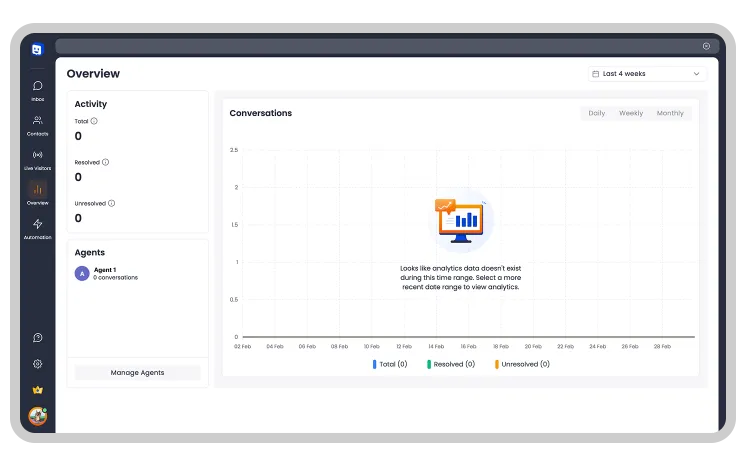
If most conversations are pre-purchase questions, a lightweight setup can be enough. If shoppers use it to report problems, request refunds, and come back later with "any update," you will want a system that keeps the thread organized after the first response.
Free tiers usually differ in the behind-the-scenes essentials: how much context you see, how your team handles volume, and what breaks first.
How to Tell If a No-Cost Live Chat Plan Will Hold Up
Before you dive into the table, decide what you need from a free live chat app for Shopify. Look past the chat bubble and focus on what the plan actually supports and which limits you will hit first. The list below helps you spot deal-breakers fast, before the options start to blur together.
The checks that matter on starter plans:
- The pricing model: Is it free forever, a free plan with tight caps, or a trial that expires? Also check what happens after: do you lose features, lose history, or simply get billed.
- Conversation and seat limits: Look for limits on monthly conversations, active chats, or agent seats. Pay attention to how the app defines a "conversation," because some count visitors, sessions, or reopened threads differently.
- Automation basics: At minimum, you want saved replies and a clean offline message flow. If you see triggers or simple rules, check whether they are available on the entry tier or locked behind upgrades.
- Shopify context in the conversation: Can you see what the customer is looking at, and do you get order context when it exists? If not, your team will spend more time asking for order numbers and links than actually helping.
- Team readiness: If more than one person answers chat, check for assignment and collision control, so two agents do not reply at the same time. Even basic routing makes a big difference once volume picks up.
- Channels beyond web chat: Some apps are chat-only. Others bundle email, social, or messaging channels, but keep the real inbox features behind a paid plan. Decide whether you need "just chat" or a path to multi-channel later.
Comparison Table: Best Shopify Live Chat Apps With Free Plans
Use this table to shortlist options fast. Start with "Free model" to see whether it's a real no-cost tier or a time-limited entry point. Then scan "Key free limits," and only after that check the notes for Shopify context and basic automation. Those details decide how usable the chat will feel when things get busy.
| App | Free model | Best for | Key free limits | Notes | Verdict |
|---|---|---|---|---|---|
| Shopify Inbox | Included with Shopify (no cost) | Native chat with Shopify context | No caps listed | Uses live store context like products viewed, cart, and past orders | Free, native, deep Shopify context — but no automation beyond canned replies. |
| tawk.to Live Chat | Free | Basic chat without published caps | No caps listed | Shopify listing mentions unlimited messaging and agent seats | Genuinely unlimited free — supported by upsells to paid phone agents, not chat caps. |
| Tidio | Free plan | Starter chat + light automation | Live chat: 50 users; Flows: 100 visitors/mo | Ticketing and social integrations included on free tier | Free flows cap at 100 visitors/mo — runs out in days on any real store. |
| Chatra | Free plan (free forever) | Very low-volume support | 5 conversations/month | Includes offline contact form bot | 5 conversations/month total — replaces nothing serious; effectively a demo. |
| Chatway Live Chat & WhatsApp | Free plan | Solo support with WhatsApp buttons | 1 seat; 30-day chat history | Unlimited conversations, FAQ, and canned replies | Free seat for a solo founder — but chat history disappears after 30 days. |
| Crisp | Free plan | Small team that needs 2 seats | 2 seats | Shopify data sync; Crisp may bill external charges separately | 2 free seats are useful for small teams — but Shopify integration depth lags native options. |
| Moose: AI Chatbot & Live Chat | Free Forever | Testing chatbot + FAQ basics | 90-day chat history; 100 products for AI training | AI chatbot assistant included | Free AI chatbot with a 100-product training cap — pilot-friendly, not production. |
Quick Picks by Use Case (30-second choice)
If you are short on time, start here:
- Simplest native setup: Shopify Inbox for a clean Shopify-first experience.
- Straight no-cost web chat: tawk.to when you just need the basics without needing to pay right away.
- Entry-level automation or chatbot: Tidio, but verify what the starter tier actually includes.
- Two people answering chat: Crisp if you need a simple shared inbox with more than one seat.
- WhatsApp-first support: Chatway if most customer questions start there.
- Sales-heavy stores: Choose a tool with proactive triggers and test it on product and cart pages.
These picks are a solid starting point, but a handful of real conversations will tell you what you need next.
Real-Life Example: A Small Shopify Store Using Free Live Chat
Here is what a simple chat setup looks like in a small store once the first conversations start coming in.
A small team installs a chat widget and starts on a no-cost tier expecting fewer abandoned carts and fewer "quick questions" turning into long email threads. That can happen, but only if the chat workflow stays simple for customers and manageable for the people answering it.
Typical questions (WISMO, sizing, returns)
Most chats fall into a few predictable buckets: WISMO (Where Is My Order), sizing and fit, shipping timing, and returns. You will also see the short, urgent ones that block a purchase right now, like a discount code that will not apply, a shipping cutoff, or "does this work with X."
The common thread is timing. These questions arrive while someone is deciding. If your reply comes after they leave the page, the conversation does not disappear, it just moves into follow-ups.
What you can automate on free tiers (realistically)
On starter plans, the most useful "automation" is basic preparation. A small library of saved replies for your top questions can cut response time immediately, and a simple offline message flow can prevent the back-and-forth that starts with "Can you share your order number."
If you try a free Shopify chatbot, keep the goal narrow: handle simple policy questions, share the right link fast, and collect one key detail before a human steps in. What matters most is the handoff. Customers should be able to reach a person quickly when the question is order-specific, emotional, or unusual.
The first limits you'll hit (and what to do next)
The first friction point is usually volume or teamwork. You hit a conversation cap during a busy week, you realize one seat is not enough, or two people answer the same message at the same time. The next pain point is context. If your inbox does not show what the customer means, your "fast chat" turns into requests for links, screenshots, and order details.
Before you upgrade, tighten the basics. Improve your saved replies, make your offline flow collect the right information, and move the most common answers into your storefront content so fewer chats start in the first place. If you still outgrow the tool, that is your signal to choose either a stronger chat plan or a helpdesk-style workflow that can carry the conversation beyond the first reply.
Free vs Paid: When You Should Upgrade
An upgrade makes sense when your chat workload outgrows the plan, not when a banner tells you to.

The 5 signals it's time:
- Volume stops being occasional. You start hitting caps during normal weeks or promotions, and support becomes shaped by limits, not customer needs.
- You need more than one agent. Seats, ownership, and collision control become mandatory once two people answer chat.
- You need reporting. Without response-time and topic visibility, you end up guessing what to fix and where to staff.
- Support spreads across channels. When chat, email, and DMs live in separate tools, context breaks and work gets duplicated.
- You need deeper automation or branding. Saved replies stop being enough, and you want routing rules, better handoffs, and a more controlled widget experience.
How to Add Live Chat to Your Shopify Store (Quick Setup)
You can get chat running in under an hour, but a few setup choices decide whether it helps shoppers or becomes noise for your team.
Quick setup flow:
Choose the app → Install and review permissions → Set branding and placement → Configure hours and offline messages → Add canned replies and one basic automation → Test on mobile, product pages, cart, and checkout-adjacent pages.
Two quick wins: make the offline form collect what you always ask for, and test the widget on mobile so it never covers Add to cart.
Tips That Actually Improve Results
Adding chat is the easy part. The results come from a few small decisions that reduce friction for shoppers and keep your team fast and consistent.
Response speed and expectations
Speed matters, but clarity matters almost as much. Set a simple expectation in your greeting or auto-reply, so customers know whether they'll hear back in minutes or later today. If you cannot be truly instant, use an offline flow that collects the two details you always need (email and order number), so your first reply can be an answer instead of a follow-up question.
Widget placement that converts
Place chat where it helps a decision, not everywhere. Three spots usually outperform the rest: product pages (especially near sizing or compatibility info), the cart (when shoppers hesitate before checkout), and key policy pages like shipping and returns. Keep it visible on mobile, but make sure it never covers Add to cart or checkout buttons.
Using chat transcripts to reduce repeat questions
Treat chat history as a free research stream. Once a week, scan your transcripts for the top repeated questions and turn them into assets: a better canned reply, a clearer snippet on the product page, or a short FAQ block on shipping and returns. Over time, this reduces chat volume, shortens conversations, and makes your support answers more consistent across the team.
Conclusion
Choosing the best free live chat for Shopify in 2026 comes down to one thing: how well the app holds up once chat becomes part of your daily workflow, not just a chat bubble on the page.
Start with your use case, then sanity-check the free plan rules that matter most for you: limits, seats, context, and basic automation. Pick one option, set it up cleanly, and let real conversations tell you what you need next.
Frequently Asked Questions
What is the best chat app for Shopify in 2026?
It depends on your use case. Start with whether you need native Shopify context, basic automation, or a shared inbox for more than one person, then check the limits that will matter first (conversations, seats, and history).
Which Shopify chat app is easiest to set up and manage on a free plan?
Look for the simplest combo: quick install, clear permissions, a clean inbox, and an offline message flow that collects the details you always ask for. If more than one person will reply, confirm seats and collision control before you invest time in setup.
Shopify live chat software vs built-in chat: which one is enough?
Shopify Inbox is often enough at the start. A separate tool makes sense when you need multiple agents, stronger automation, reporting, or additional channels in one workflow.
Can a free plan handle Shopify customer service chat for a small store?
When volume is low to moderate, a free tier is usually enough for one person to keep up. When spikes become routine, you need a second seat, or you want reporting and reliable follow-ups, a paid tier usually saves time and reduces missed messages.
How to add live chat for Shopify store without slowing down checkout?
Keep the widget visible but out of the way on mobile, and make sure it never covers Add to cart or checkout buttons. Test placement on product and cart pages, and use an offline message flow to capture details without adding friction.
Is Shopify Inbox actually free with no message limits?
Yes — at the time of writing, Shopify Inbox is genuinely free and does not list per-conversation caps. The trade-off is that it lives entirely inside Shopify Admin, so the inbox is tied to one store, automation is basic, and reporting is minimal. For multi-store setups, multiple agents, or stricter SLA tracking, a separate helpdesk handles those needs better.
Can I get unlimited free live chat conversations for Shopify?
Two apps in this comparison offer truly unlimited free messaging — Shopify Inbox and tawk.to. Tawk.to monetizes through paid phone agents and integrations rather than message caps. Most other "free" apps either limit conversations per month (Chatra at 5/month), visitor count (Tidio at 100/month), or seats (Crisp at 2). Check the per-plan caps before committing.
What free live chat apps connect to WhatsApp and Instagram?
Most free plans do not bundle WhatsApp Business or Instagram DM integrations — those are typically paid add-ons or higher-tier features. If unifying social messaging matters, an omnichannel helpdesk like Helpdesk MX brings live chat, Instagram, Facebook Messenger, and WhatsApp into one inbox on the free plan, so you do not need to stitch tools together.
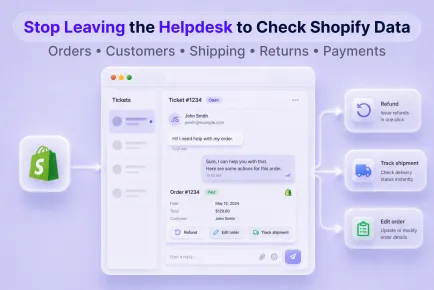
Find out where Shopify support slows down, what agents need nearby, and how to spot an integration that only looks connected.
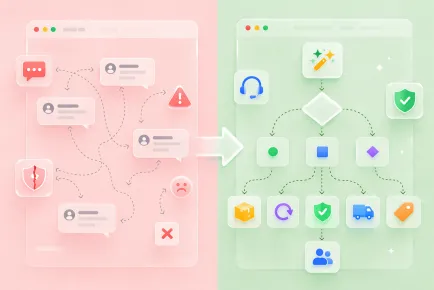
Learn how to automate support with flows, routing, segments, and SLA logic across WISMO, returns, cancellations, and damage claims.

Turn AI assistants into reliable helpers with a risk matrix, clear escalation rules, and a week-by-week rollout your team can actually follow.
Start free and put all your stores, tickets, and chats under one helpdesk you control.