How to Automate Support for E-commerce with Flows, Not Just Rules


Most e-commerce teams start with auto-replies and a handful of routing rules. That setup can handle basic requests, but it starts to break when the helpdesk fills with exceptions. To automate support well, you need clear flows, not a growing stack of one-off rules.
A late order needs one path, a cancellation another, and a damaged item should not be treated like a simple status check. In this guide, you will see how a flow-based approach helps your team keep routing, escalation, and next steps under control as support gets more complex.
Why Rules Stop Working in Customer Service Automation
Rules stop working when one customer support issue can lead to different actions instead of one predictable step. Once the same request may need routing, an exception, an approval, or escalation, teams need flows that handle the full case from start to resolution.
A simple if/then setup works well when the next step is obvious. A tracking request can trigger an update, and a return request can trigger the standard policy. That kind of logic saves time while your queue stays predictable.
The problem starts when one request can branch in different directions. A return may depend on order age, item type, and whether the customer wants a refund or an exchange. A cancellation may be simple before fulfillment and much harder after part of the order has already shipped. Even a WISMO request can follow different paths depending on carrier status or delivery issues.
This is where rule-based autoresponders stop being enough. If you keep layering exceptions on top of older logic, the setup becomes harder to maintain and easier to break. A better system handles the case as a sequence, leaves room for human escalation paths, and matches how real requests move from first contact to resolution.
Rules vs. Flows: What Changes in Practice?
At first glance, rules and support flows can look similar. In practice, they solve very different levels of the problem.
| Rule | Flow | |
|---|---|---|
| Structure | One condition leads to one action | A trigger leads to checks, branching, actions, and escalation |
| Example | "If the subject contains 'return,' send the return policy link" | "Return request → check order age → check eligibility → choose refund or exchange path → route exceptions → apply SLA" |
| Edge cases | Limited. Anything outside the expected wording or pattern usually needs manual handling | Built to branch when the case changes |
| Customer type | The same logic applies to everyone | The path can adapt to order value, history, or priority |
| Measurement | Easy to track at the ticket level only | Easier to measure as a process, with completion, handoff, and deflection rate |
| Scale | Works best for short, predictable tasks | Holds up better as requests, catalog complexity, and team size grow |
A rule handles one situation. A flow handles what happens next when the case becomes less predictable. That difference matters because most support problems do not break at the first reply, but in the next step, the exception, or the handoff.
5 Support Flows to Build First
The best first flows are the ones that combine high ticket volume with clear branching logic. For most e-commerce teams, that means order-status questions, returns, damaged items, cancellations, and discount-related requests.
Each of these flows is a practical starting point because it solves a repeat problem that simple rules usually cannot handle well.
WISMO and Where Is My Order
Order-status questions look simple, but they can branch quickly. A good setup checks the latest tracking status and chooses the next step based on whether the parcel is in transit, delayed, marked delivered, or stuck in an exception state.
Routine updates can be handled through self-service automatically, while stale tracking, carrier issues, or delivered-but-not-received cases should move to review instead of getting the same canned message.

This is also one of the best places to use proactive notifications. Clear updates reduce unnecessary tickets and help your team focus on cases that actually need agent attention.
Returns and Exchanges Automation
Most return requests stop being simple as soon as your team has to check timing, item eligibility, and whether the customer wants a refund or an exchange. A strong flow can check the return window, apply the right policy, send the correct instructions, generate a label for straightforward cases, and route exceptions for review.

A structured flow reduces unnecessary back-and-forth and keeps the next step clear for both the customer and your team.
Damaged Order Workflow
Damage should follow its own path, not be treated like a generic delivery issue. Your team usually needs the order reference, photo evidence, and a quick decision on whether the case can go straight to replacement or refund or should be reviewed by the claims side. For lower-risk cases, an approval threshold can help resolve the issue faster without manual handling every time.

This flow matters because damaged items create urgency. Customers do not want a vague status message when the problem is already visible. They want a clear path to resolution. A dedicated flow also helps you keep these cases separate from ordinary delivery delays, where the next step is often very different.
Order Cancellation Automation
The right next step depends on fulfillment status, not just on the wording of the request. If the order has not shipped, cancellation may be simple. If it has already shipped, the correct path may be a return after delivery. If fulfillment is partial, your team may need to cancel one part and explain what happens to the rest.

This is one of the clearest examples of why fixed logic breaks down. A well-designed flow keeps that branching explicit instead of leaving you to sort it out manually every time.
Discount Request Handling
Discount-related questions need more than a code check. A useful setup can verify whether the code is valid, whether campaign rules apply, and whether the request should follow a different path based on order value or customer history. That is also where teams can catch patterns linked to discount abuse instead of treating every request like a basic pricing question.

This flow matters because discount requests often sit between support, retention, and policy enforcement. The right response is not always yes or no. Sometimes it is validation, sometimes an exception, and sometimes a clear decline with the right explanation. Done well, this kind of flow helps the team stay consistent without turning every pricing question into a manager decision.
How Intent-Based Routing Works Without Complex ML
Most teams can route repeat requests accurately without heavy ML by combining three simple inputs: what the customer wrote, where the message came from, and basic order context. That is often enough to send common cases into the right path before an agent reads the ticket.
Once you define the main flows, the next question is how each new ticket reaches the right one. In practice, you do not need a complex model to get started. A few reliable layers already make routing cleaner, faster, and easier to maintain.

Diagram: 3 layers of intent routing — keyword matching, entry-point routing, contextual rules.
Start with Keyword Recognition
The simplest starting point is to group common phrases by intent and route them accordingly. Many repeat requests are not especially ambiguous. They just need to be recognized early enough to avoid manual sorting and prevent the wrong reply path from being applied first.
| Intent | Common wording |
|---|---|
| WISMO | "where is my order", "tracking", "delivery status", "hasn't arrived" |
| Returns and Exchanges Automation | "return", "exchange", "wrong size", "send back" |
| Damaged Order Workflow | "damaged", "broken", "defective", "arrived broken" |
| Order Cancellation Automation | "cancel", "cancel order", "changed my mind" |
| Discount Request Handling | "coupon", "discount code", "promo code", "doesn't work" |
At this stage, keyword matching works best when it covers phrase groups and common variations instead of relying on one exact word. The goal is not perfect language understanding. The goal is to catch obvious intent early and move the ticket into the right path.
Use Entry-Point Context
The next layer is the place where the request starts. A message submitted through a returns form, a delivery-help widget, or an order page already carries useful context before the text is analyzed in detail. That extra signal helps the team route vague messages more accurately.
A short message like "I need help with my order" is too broad on its own. But if it comes through a return form, the likely direction is already much clearer. The same applies to a tracking button, a cancellation request page, or a damaged-item contact path.
Good routing uses the message and the surrounding context together, not just the wording in isolation.
Add Order Data, SLA Logic, and Escalation Rules and Triggers
The third layer makes routing much more reliable without making it overly complicated. Once the system knows which order is involved, it can check fulfillment status, return-window timing, item type, delivery status, or customer priority before deciding what happens next.
| Customer message | Order context | Route |
|---|---|---|
| "Where is my order?" | Order is in transit | WISMO |
| "I want to return this" | Item is outside the return window | Returns and Exchanges Automation with policy-based decline |
| "This arrived broken" | Order was delivered recently | Damaged Order Workflow |
| "Cancel my order" | Order has not shipped | Order Cancellation Automation |
| "Cancel my order" | Order has already shipped | Cancellation request moves into the return path |
This is also where SLA automation becomes useful. Priority cases can move into faster queues, while standard ones follow the normal path. The same applies to escalation rules and triggers: once the system sees a delay, exception, or policy conflict, it can move the case to the right person instead of forcing manual review later.
How Customer Segmentation Changes the Same Flow
The same request should not always follow the same path. A return, delay, or discount question may need different handling depending on customer value, order history, or risk level.
Most teams think about segmentation as a marketing tool, but it also matters in support. A delayed order from a new buyer does not always need the same response path as the same delay for someone who orders regularly or spends far more than average.
The point is not to create separate flows for every segment. The point is to let the same flow make better decisions once the customer context is known.
Three Segments That Often Change the Path
A few simple segments are usually enough to make automation more useful in practice.
| Segment | What it usually means | How the flow can change |
|---|---|---|
| VIP customers | High customer lifetime value (LTV/CLV) or consistently strong purchase history | Skip slower self-service steps, move to faster review, avoid rigid automated declines |
| High-value customers | Higher-than-usual average order value (AOV) | Prioritize retention-friendly options, review cancellations faster, offer exchange before refund when appropriate |
| Repeat customers | Returning buyers with a proven order history | Use a smoother approval path, apply more flexible handling, reduce unnecessary checks |
The value here is not the label itself. The value is that the flow can respond differently when the customer relationship changes what the right next step should be.
Add Segment Checks Inside Existing Flows
You do not need separate automation for every segment. In most cases, it is enough to add a segment check inside the flows you already have. A return can follow the standard path for one customer and a faster reviewed path for another. A delayed order may trigger the same status lookup for everyone, but priority handling can still change once account history is taken into account.

This is where customer segmentation becomes operational. It changes routing, approval thresholds, and escalation timing in places where a flat process would treat every request the same.
Start with Signals You Already Have
Most teams already have enough data to begin. If your store runs on Shopify, most of these signals are already available in your order data. Order count can help identify repeat customers, while total spend can highlight VIP customers. Average order value (AOV) can show which cancellations, exchanges, or delivery issues may need a different path. If your business already uses RFM analysis, that can strengthen the logic, but it is not required to get started.
The key is to begin with a small number of clear signals. Too many segments create noise, while a few practical checks are often enough to make support automation feel less rigid and more appropriate to the case.
How to Measure Whether a Flow Is Working
A flow is easier to improve when you measure it as a process, not just as a ticket. The most useful starting metrics are completion rate, escalation rate, deflection rate, and CSAT by flow.
Many support teams track only queue-wide numbers like first response time, backlog, or overall CSAT. Those metrics still matter, but they do not show which part of the automation is actually helping and which part is creating extra work. A WISMO flow, a returns flow, and a cancellation flow can all look fine at the queue level while performing very differently in practice.
Start with Completion Rate
Completion rate shows how often a flow reaches a clear outcome without getting stuck, rerouted, or abandoned halfway through. That might mean a tracking request was resolved without agent involvement, a return was processed through the standard path, or a cancellation reached the correct next step without manual cleanup.
This metric matters because it shows whether the flow is truly handling the case end-to-end or just starting the process and pushing the rest back to the team.
Track Escalation by Flow, Not Just Overall
An escalation rate is not always a sign of failure. Some requests should move to a person. What matters is whether that happens for the right reasons and in the right places, because each flow has a different level of expected complexity.
A damage-related case may need human review more often than a basic delivery-status question. A cancellation flow may also look healthy on the surface while still sending too many post-shipment cases for manual handling because the branching logic is weak. Looking at this metric by flow makes those gaps much easier to spot.
Watch Deflection Rate Without Ignoring Quality
This metric shows how many requests are handled without agent involvement. It is useful, but it should never be read on its own. A high deflection rate looks good only if the customer actually got the right answer and did not return with the same issue later.
That is why it helps to read it together with repeat-contact patterns, unresolved follow-ups, or a drop in satisfaction after automated handling. Otherwise, a flow can look efficient while quietly pushing problems downstream.
Compare CSAT by Flow
Overall CSAT can hide weak spots in the customer experience. A team may have a healthy average satisfaction score while one path consistently frustrates customers. Looking at results by path helps you see where automation supports the experience and where it makes the process feel rigid, slow, or unclear.
This becomes especially useful when two request types perform differently despite similar volume. Tracking updates may score well because the process is clear, while cancellations or damage claims may score lower because the customer needs more context, reassurance, or flexibility.
That comparison makes it easier to see which part of the system needs a better path, a stronger rule, or an earlier handoff.
Conclusion
To automate support well, you do not need to rebuild everything at once. Start by reviewing the requests that create the most repetitive work, then build one strong flow around the case your team handles most often, which is usually WISMO.
From there, expand the system step by step: add routing for repeat requests, add segment checks where the same issue should follow different paths, and refine escalation logic where exceptions need human review. That gives your team something more useful than a larger stack of rules. It gives you a system you can improve over time and trust as support gets more complex.
Frequently Asked Questions
What is a support workflow?
A support workflow is a structured process that moves a customer request from trigger to resolution through a defined sequence of steps. For example, a return request may check order age and item eligibility before branching into a refund or exchange path.
What is the difference between a rule and a flow in customer service automation?
In customer service automation, a rule handles one condition and one action, while a flow handles a sequence of decisions that can branch depending on the case. For example, a rule may send a return policy link, while a flow can check order age, item eligibility, and customer history before choosing the right path.
Which flow should a team automate first?
For most teams, the best first flow to automate is WISMO (where is my order) or another high-volume request type with clear branching logic. Starting with one high-volume flow makes it easier to measure results and refine the process before expanding to returns, cancellations, or damage claims.
Can support routing work without AI?
Support routing can work without AI when the team combines keyword recognition, entry-point context, and basic order data such as fulfillment status or delivery date. Together, these signals are often enough to route common requests into the right flow and reduce obvious misroutes.
How to measure support flow performance?
Support flow performance is easiest to measure through completion rate, escalation rate, deflection rate, and CSAT by flow. These metrics show whether the process is resolving the case well or simply shifting the work somewhere else.
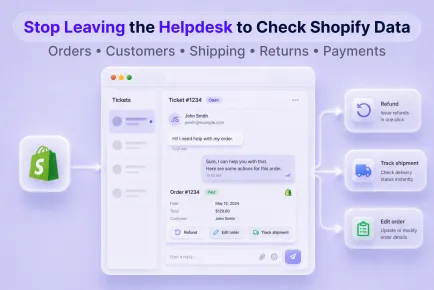
Find out where Shopify support slows down, what agents need nearby, and how to spot an integration that only looks connected.

Turn AI assistants into reliable helpers with a risk matrix, clear escalation rules, and a week-by-week rollout your team can actually follow.
A practical guide to choosing a no-cost chat: what matters on free tiers, how to set it up, and when it's time to upgrade.
Start free and put all your stores, tickets, and chats under one helpdesk you control.